
From a prompt to a board
One sentence becomes 1–8 linked screens with a start screen, ready to play. Or a flowchart, a mind map, a brainstorm in columns, or any other diagram.

Builderii is one infinite canvas for flowcharts, mind maps, wireframes and clickable prototypes, with an AI that builds right alongside you and your whole team live on the same board.
Works in your browser · No card · Plugins for Claude and ChatGPT

Works with
01 The canvas
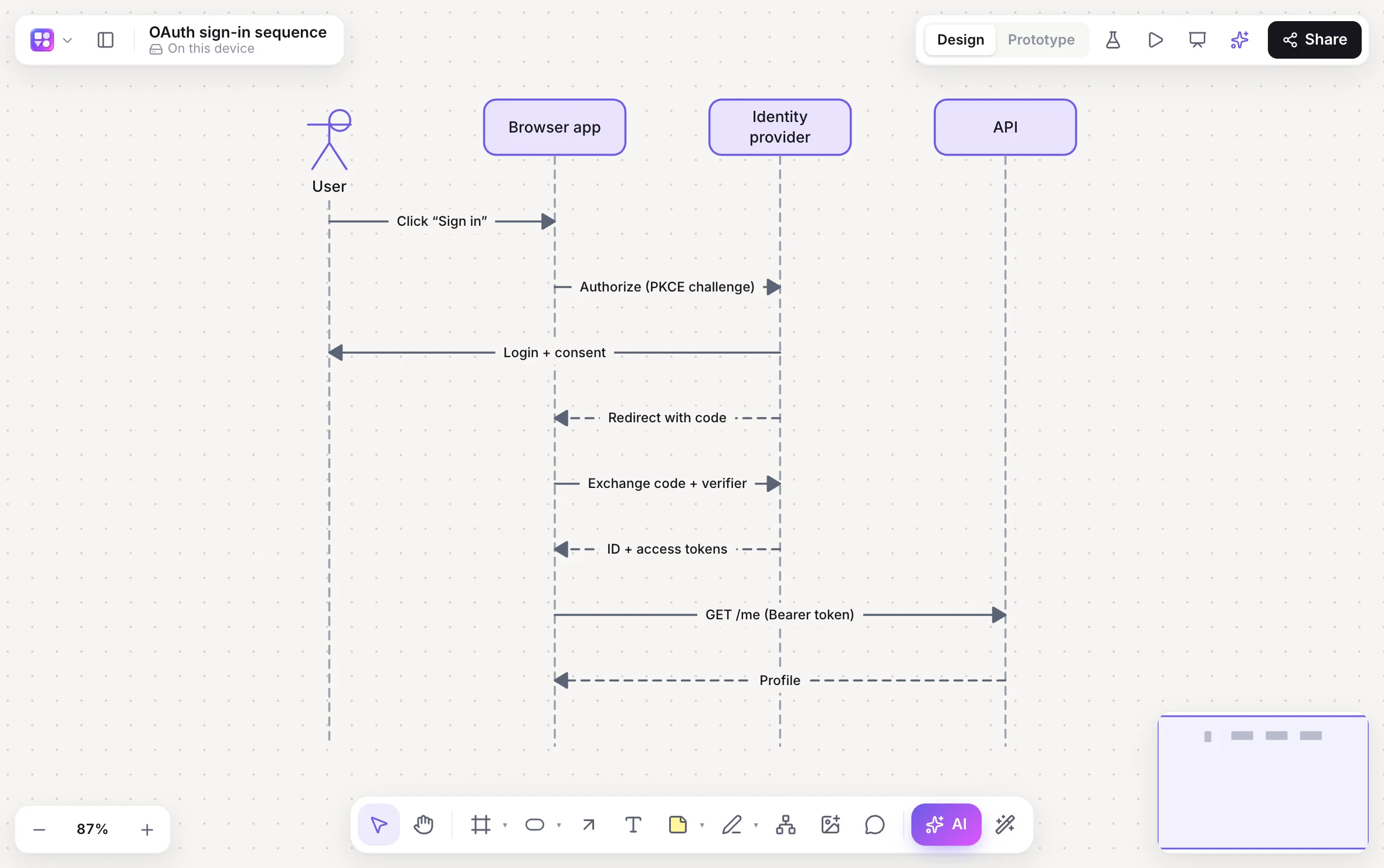
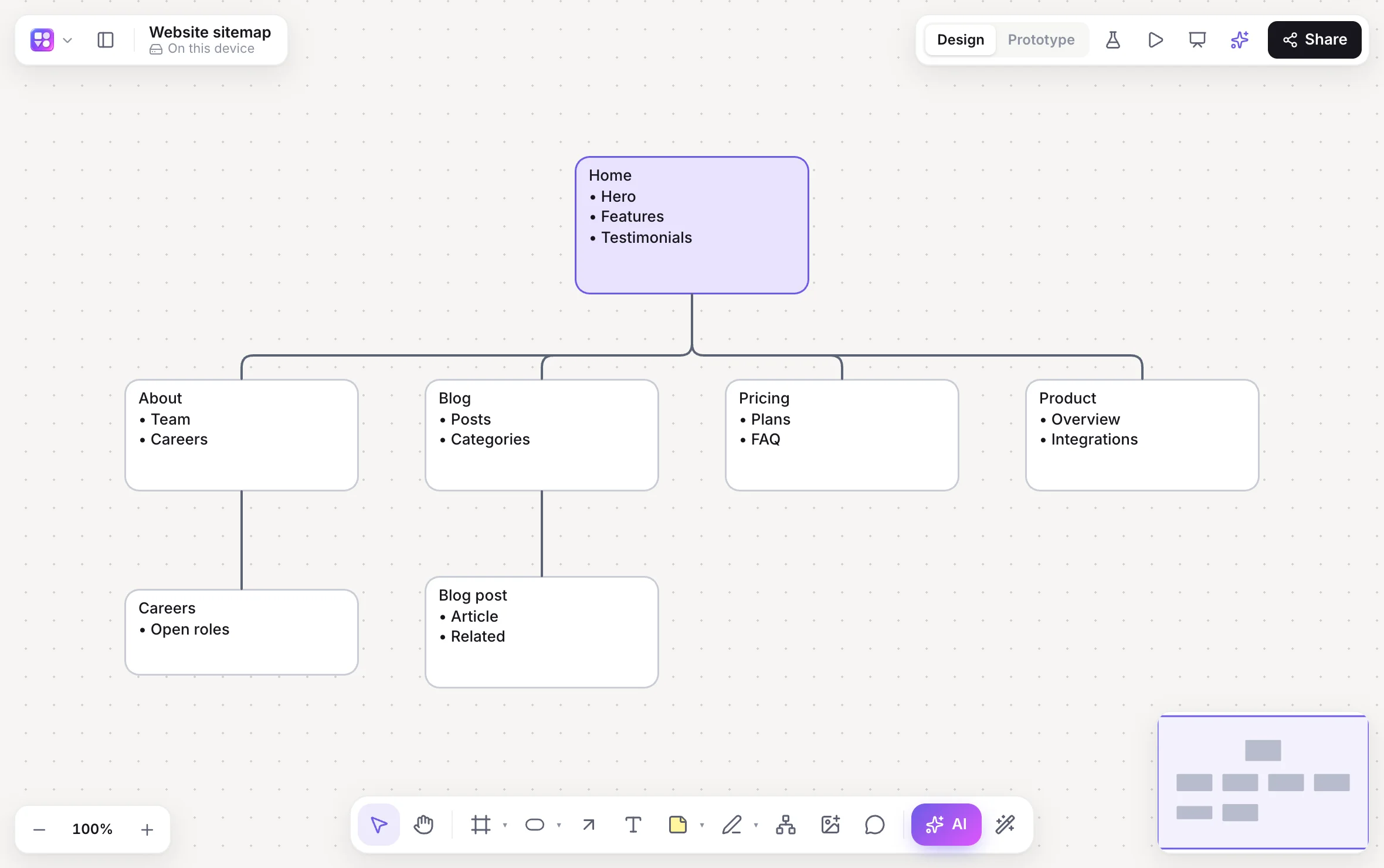
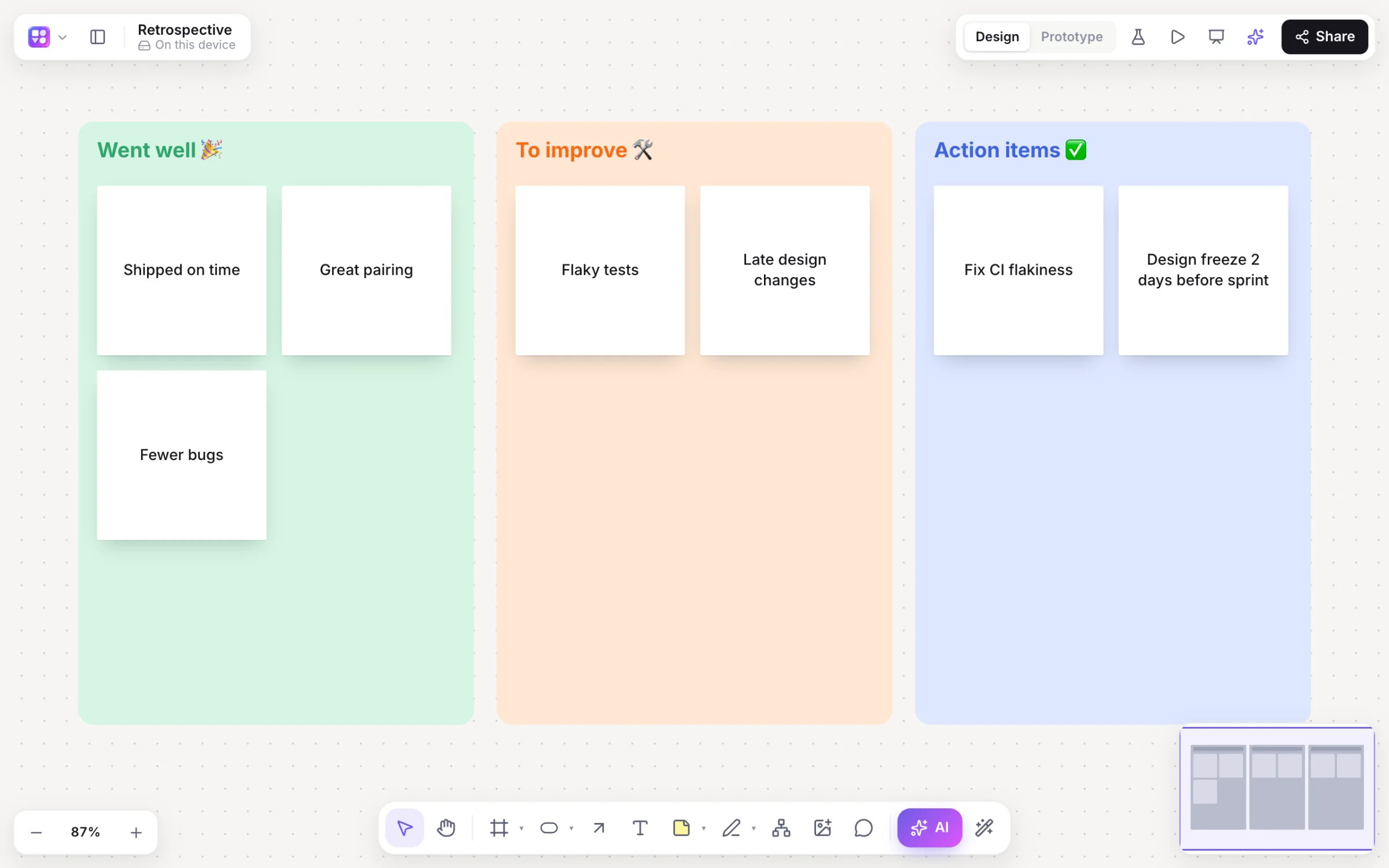
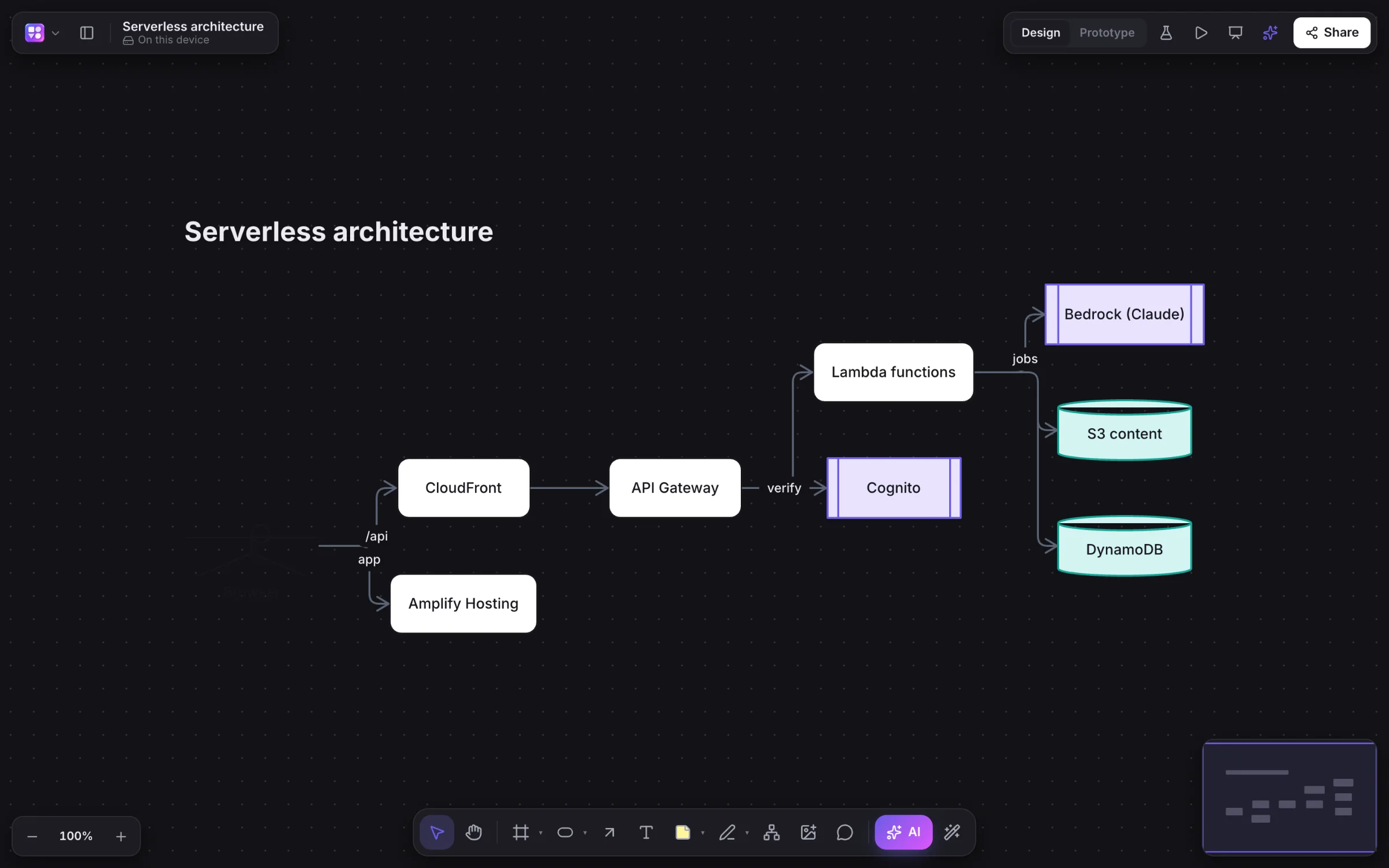
Flowcharts, mind maps, app screens, sequence diagrams, sitemaps, database diagrams, roadmaps and workshops sit side by side, on as many pages as you like. Every picture below is a real Builderii board.
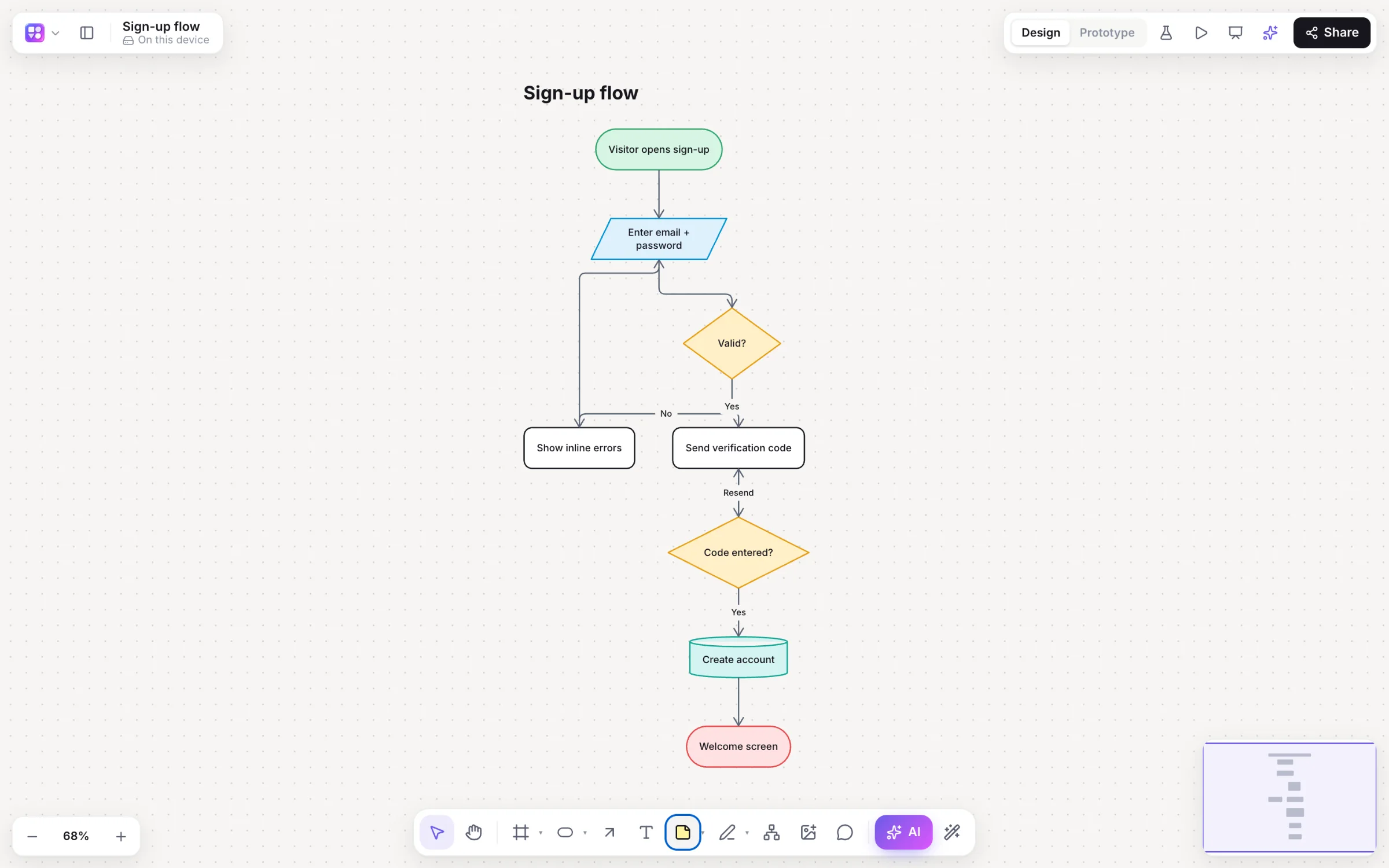
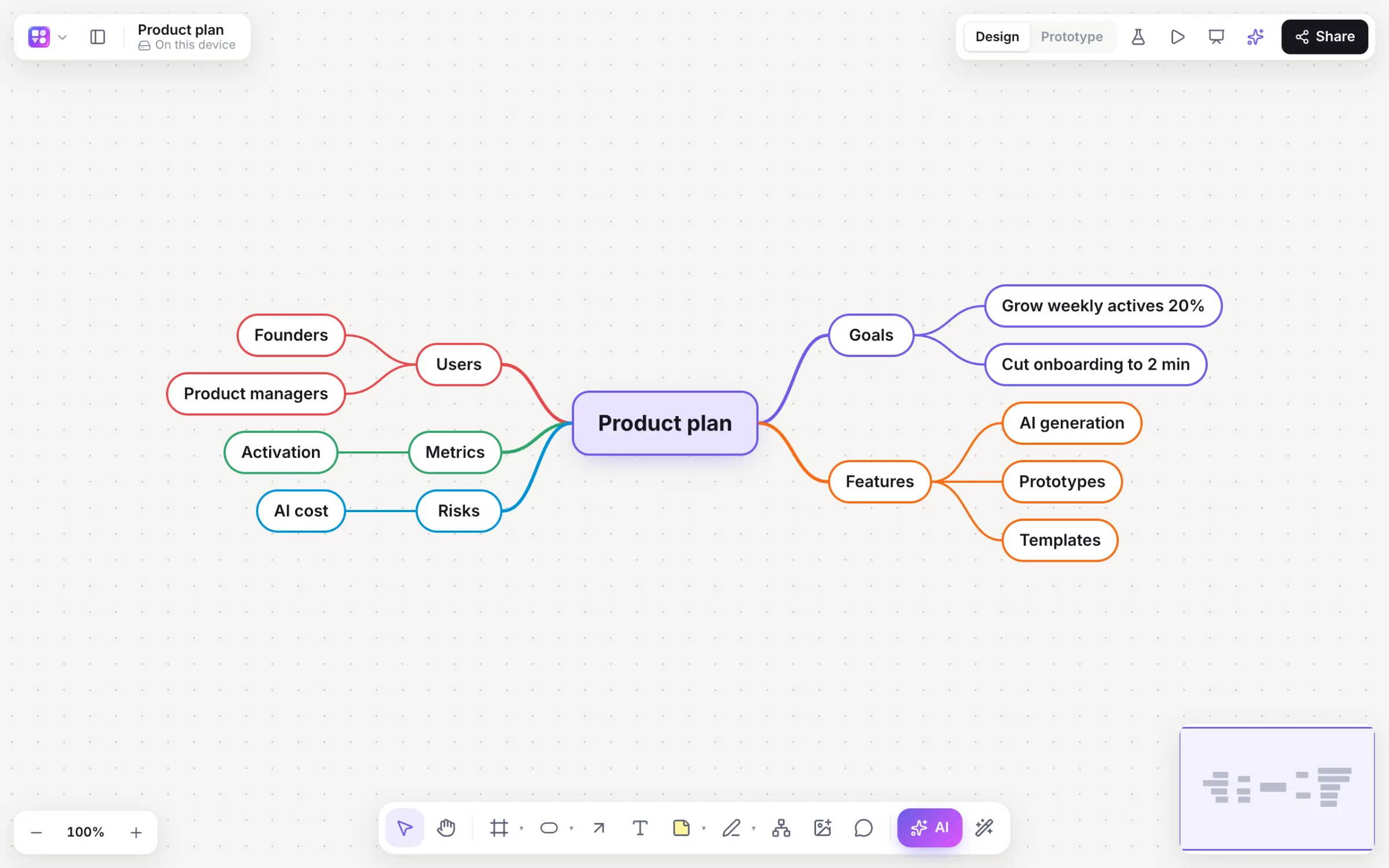
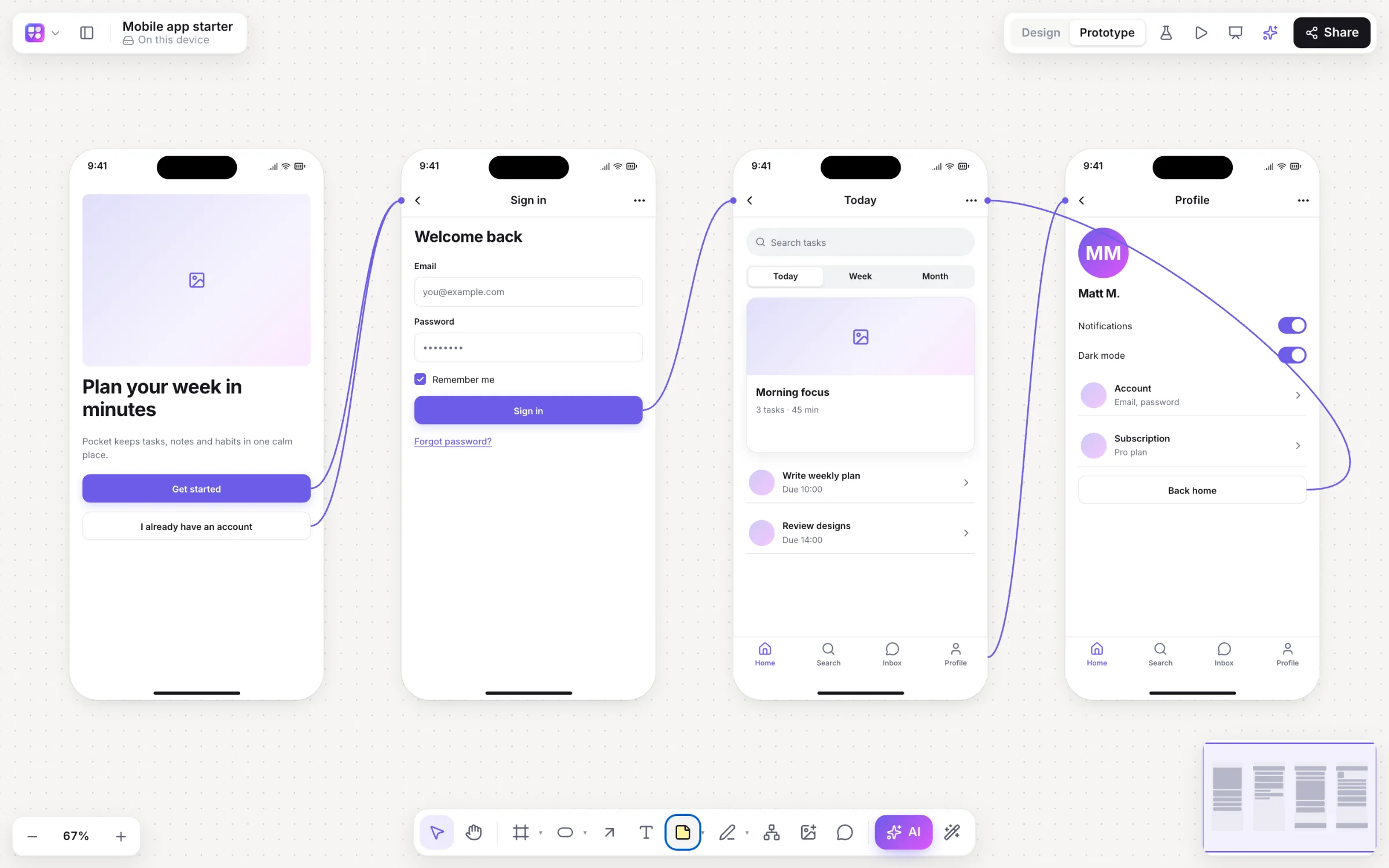
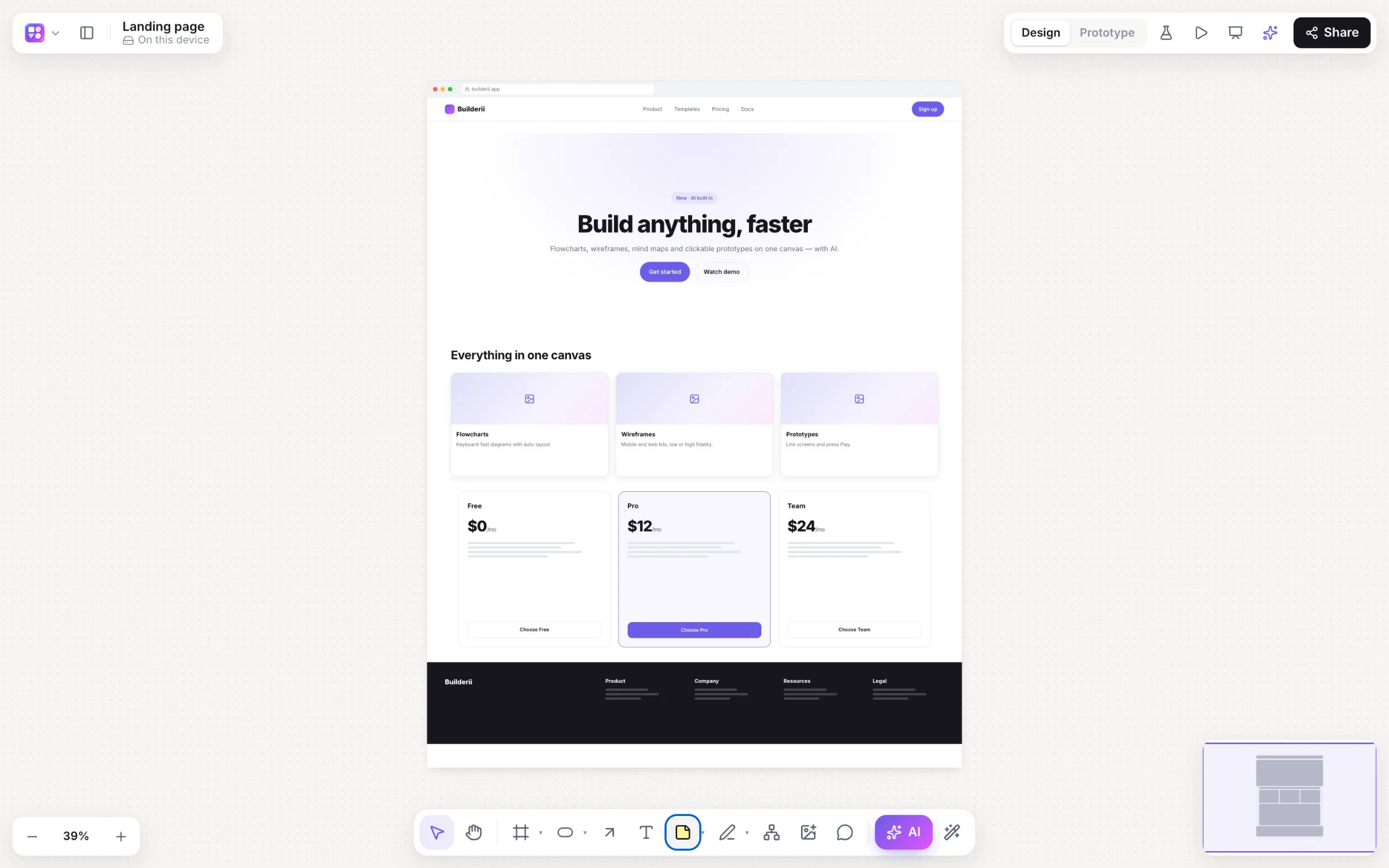
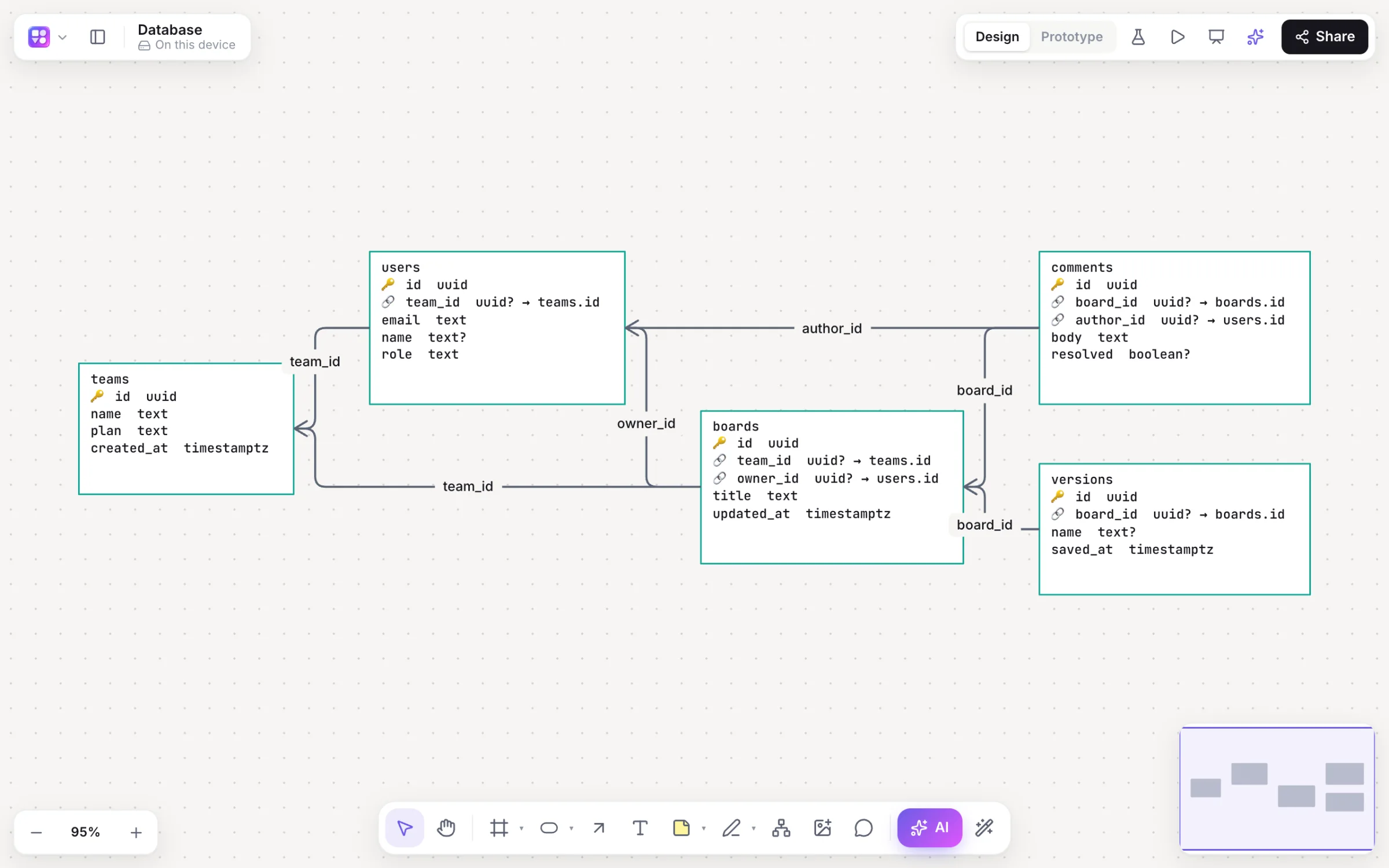
CREATE TABLE or Prisma models, or describe the schema. Edit a card to edit the table, then export SQL again.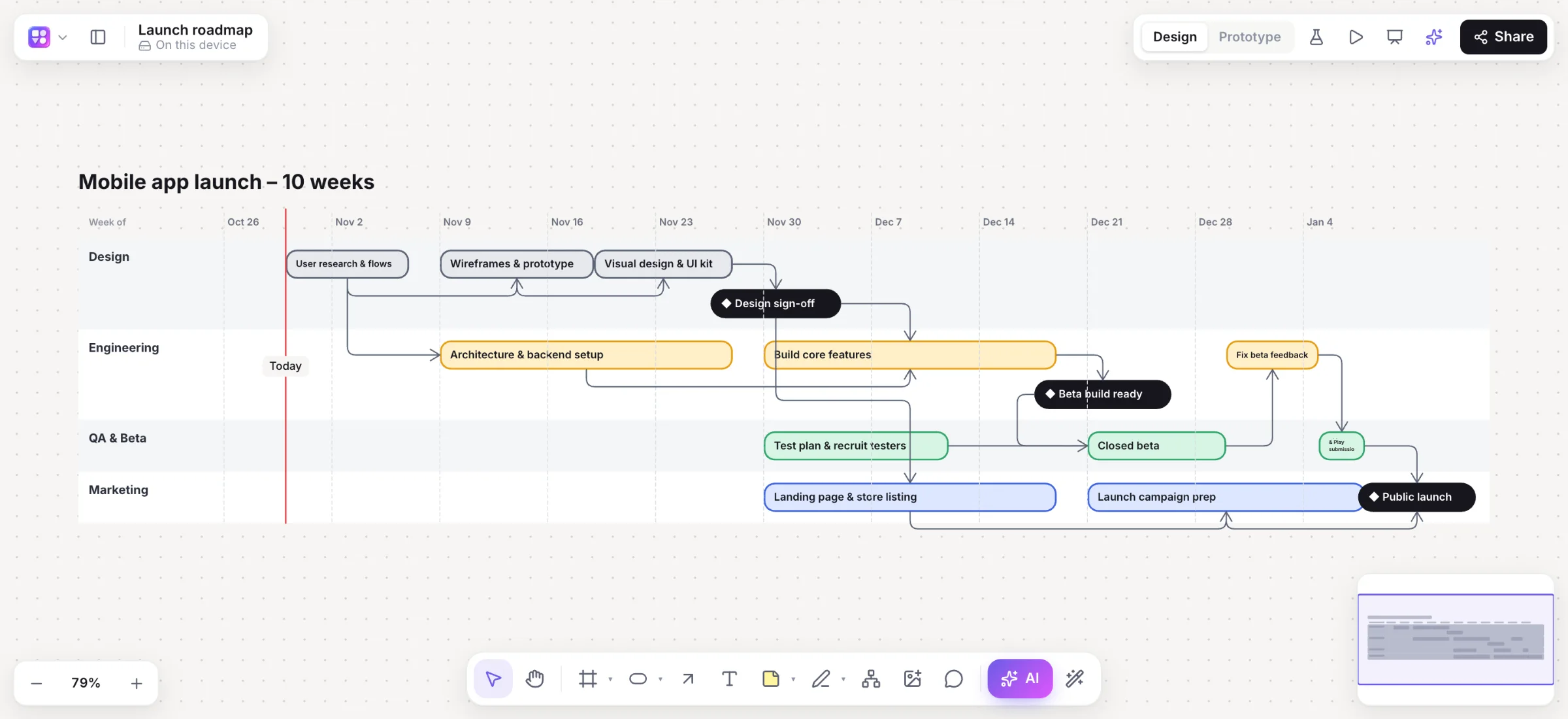
02 AI
Ask for app screens, a flowchart, a mind map, a sequence or database diagram, a sitemap or a roadmap. The AI plans it, layout engines place it, and you keep editing. Ask again and it changes what’s there instead of starting over.
One sentence becomes 1–8 linked screens with a start screen, ready to play. Or a flowchart, a mind map, a brainstorm in columns, or any other diagram.
Select part of a diagram and say what to change. It’s edited in place, as one undo step.
Turn it on and every change waits for you: accept or reject each one, or all of them.
Drop in a screenshot or a photo of a whiteboard, or draw with the pen. It comes back as editable components.
Turn a screen into a live HTML preview beside it, plus a React and Tailwind component to hand off.
export function SignIn() {
  return (
    <form className="space-y-4">
      <Input label="Email" />
      <Button>Sign in</Button>
    </form>
The spec writer reads a flow and writes the goals, user stories with Given / When / Then for every screen and branch, edge cases and open questions. Copy Markdown, or a CSV for Jira or Linear.
User story · Checkout
As a shopper, I want to pay with a saved card so I can check out in one tap.
Given a saved card When I tap Pay Then I see the confirmation
Group stickies by theme with a preview before anything moves, summarise a board into key points and next steps, rewrite text in any tone or language, or expand an idea with ⌘.
Runs on Claude through Amazon Bedrock · 500 AI jobs a month per person, counted in your profile · Your prompts and boards are never logged.
03 Wireframes
Switch the whole board between a sketchy low fidelity and a polished high fidelity in your brand colour with ⇧W. Then let Rendered redraw your screens as final designs.


04 Brand & type
Paste a web address and Builderii reads the page and its stylesheets: the colours it uses most, its heading and body fonts, its corner radius and its tone. Every screen on the board takes them.
1,631 Google font families
PrimaryLarger text, headings
SecondarySmall print, under 14 px
Give a board two theme fonts from the whole Google Fonts catalogue; they load only when used. Any element can still pick its own.
Every UI component has its own fill, stroke and text colour: accent controls take the fill, everything else its background.
05 Prototypes & tests
Link buttons, cards or anything else to a screen and the board plays full screen in a device frame. Share a test link and see where people tap, where they get stuck and how far they get.

Test results example
06 Collaboration
Cursors, selections and edits stream every frame, as in Figma. Comment, mention, follow someone’s view, and share with exactly the access each person needs.
@Leo can invited people skip the verification code?
Good call, adding a branch for invites.
Leo was notified and emailed a link to this comment
Named cursors, others’ selections, text as it’s typed. Guests on a share link join live too.
Click an avatar to follow someone’s view, or ask everyone to follow yours.
Press ; to talk at your cursor, 1–6 to send a reaction floating up.
Pinned threads with replies. A mention sends a notification and an email straight to the comment.
Invite by email as editor, commenter or viewer and change it later. Link access from none to edit.
Team boards everyone can edit, and shared project folders that include every board inside.
On a shared board, undo takes back only your own changes. What others did stays.
Dot-vote with cursors hidden, and keep a workshop on time with a countdown.
07 And the rest
Put a live, view-only board in your docs or site with an iframe, optionally starting in the prototype.
Paste a link for a card with its image and title. YouTube, Loom, Vimeo and Figma play in place.
Save any board as a template for everyone who can open it, or for your whole team. 18 built in.
Automatic versions as you work, named versions when it matters, and restore in a click.
Excalidraw, draw.io, Mermaid, CSV (as a table or an org chart), SQL and Prisma. Paste from a spreadsheet.
PNG, SVG, PDF, PowerPoint with speaker notes, draw.io, Mermaid, SQL and Builderii JSON.
A two-way Mermaid pane: edit the code or the shapes, and each follows the other.
Frames become slides, with speaker notes and a presenter view that keeps time.
Save a selection as a component and drop a fresh copy on any board.
Every page’s text, labels, frame names and table cells, one undo step per page.
Open any board to look, comment and play its prototype, with pinch to zoom.
A calm studio canvas either way, with shapes and stickies tuned for both.
08 Claude & ChatGPT
Builderii’s MCP server gives your assistant 37 tools that work as you: generate any diagram from a prompt or a screenshot, change one by name, read boards, add pages and comments. Results land on the board live, with a picture in the chat and an Open in Builderii button.
The connection plus six skills: builderii, app-screens, diagram, brainstorm, feedback and summarize. In Claude Code, one command:
claude plugin install builderii --marketplace https://app.builderii.com/plugins/claude/marketplace.jsonConnect Builderii in ChatGPT and sign in with OAuth: you see who’s asking and what it can do, then Allow.
Cursor and other agents connect to the same server with OAuth 2.1, or a personal access token you can revoke.
https://app.builderii.com/mcpcreate_flowchartdone
09 Who it’s for
Founders & PMs
“Show the idea to investors or engineers this afternoon.”
Prompt → linked screens → Play → share link
Designers
“Explore flows fast, before the polish.”
Low-fi kit, flows, Rendered, code handoff
Engineers
“Diagram the system and keep it current.”
Sequence, architecture, SQL, two-way Mermaid
Facilitators
“Run a retro or a brainstorm.”
Stickies, voting, timer, AI grouping and summaries
Students & writers
“Think it through.”
Mind maps with AI expand, and docs
Coming from another tool? See Builderii as a Figma alternative, a Whimsical alternative, a FigJam alternative or a Miro alternative, or read Figma vs Whimsical.
10 Pricing
Builderii is free while it’s new, with every feature on. Join by November 13 and it stays free for you, for life. Paid plans will come with their AI allowances published, and viewers and commenters stay free.
Free Now
$0for everyone
Join by Nov 13: free for life
Pro Planned
Per editorviewers always free
Team Planned
Per editorAI pooled across the team
11 Questions
Flowcharts, mind maps, app and website wireframes in low or high fidelity, clickable prototypes, sequence diagrams, sitemaps, database diagrams, roadmaps, org charts, architecture diagrams, workshops with sticky notes, and docs, all on one board with as many pages as you need.
Claude, through Amazon Bedrock. Every AI action runs as a job with strict schemas, and the result is laid out by Builderii’s own layout engines, so diagrams stay tidy and editable. Your prompts and boards are never logged.
Rendered finds similar real app screens on Mobbin to style your designs after, so it asks you to sign in to Mobbin once. Renders are temporary until you press Apply, which turns them into editable screens on the board.
Through Builderii’s MCP server. Add it in Claude, Claude Code or ChatGPT (or install the plugin), sign in, and allow access. You can see and disconnect connected apps in Settings, and make personal access tokens for agents that can’t sign in.
Yes. Import or paste Excalidraw, draw.io and Mermaid, paste cells from a spreadsheet as a table or an org chart, and paste SQL or Prisma to draw a database. Export goes to PNG, SVG, PDF, PowerPoint, draw.io, Mermaid, SQL and JSON.
On a phone, boards open for looking: pan, pinch to zoom, read and open comments, copy the link and play the prototype. Making and editing boards is for a computer or a tablet.
For early product work, yes: Builderii has Whimsical’s keyboard speed for flowcharts, mind maps and wireframes, and Figma-style screens and clickable prototypes, on one board with AI. For final, pixel-perfect UI and design systems, Figma is still the tool. See every comparison.
Yes. Describe what you need and the AI draws linked app screens, flowcharts, mind maps, sequence diagrams, sitemaps, roadmaps or database diagrams, laid out by Builderii and editable like anything else. Ask again and it changes them in place.
Only the people you share them with, at the role you choose: editor, commenter or viewer. Link access is off until you turn it on, and roles are enforced on the server.

Start with a prompt, a template or a blank board. It’s free.


@Maya can sign-in remember the email?